
Buy New Voucher
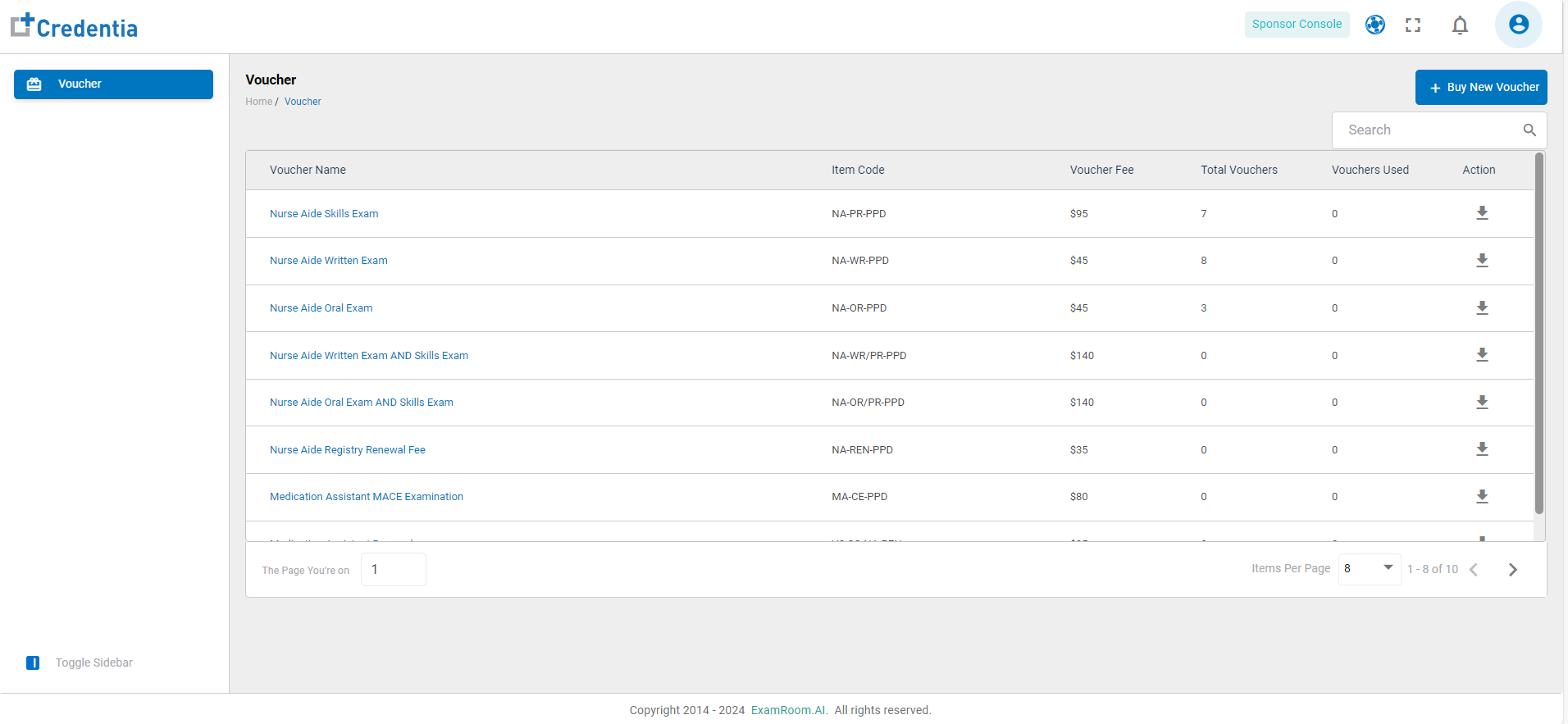
- Click on Buy New Voucher to purchase the voucher(s).
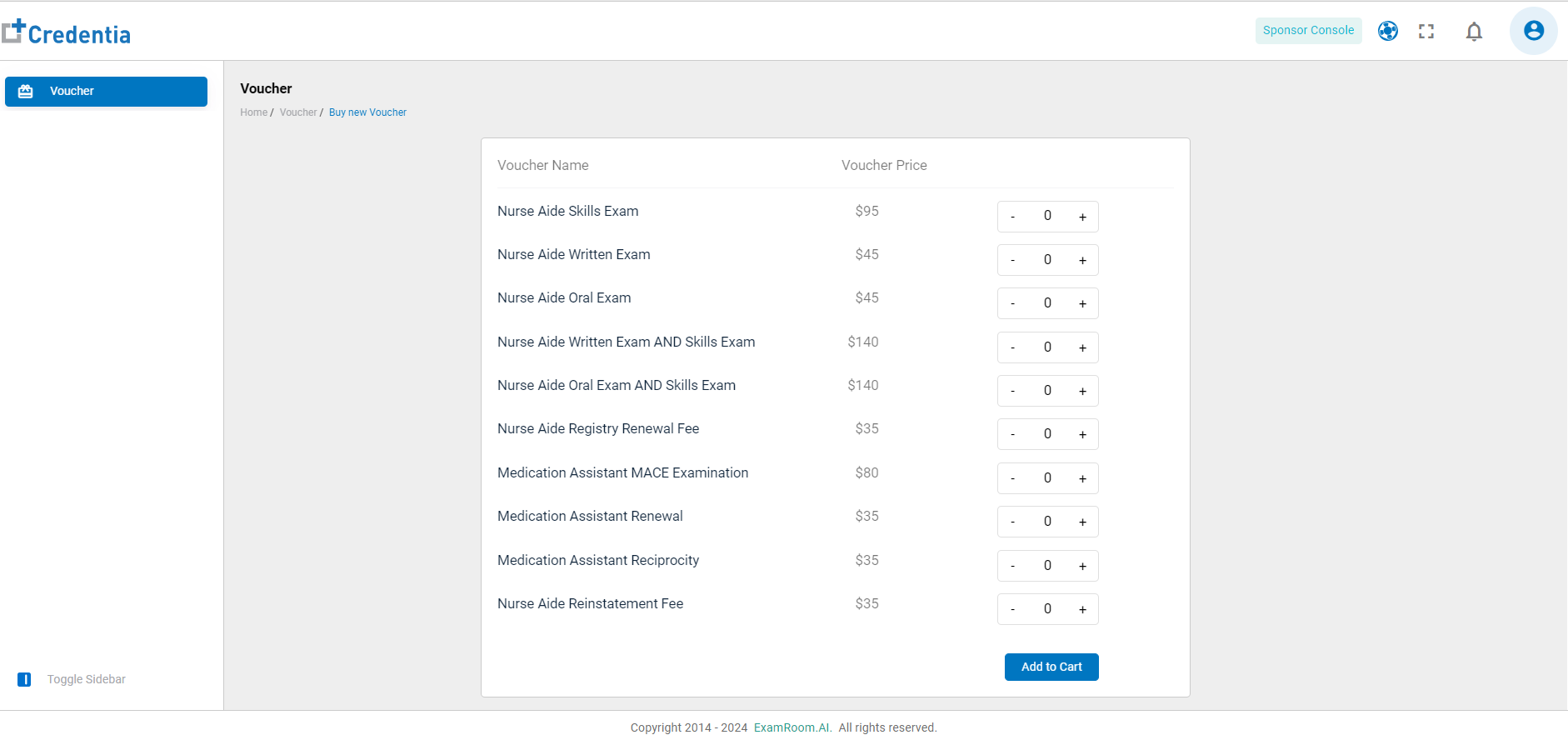
- The Voucher Name and its respective Voucher Price are displayed as a column.
- Click on “+” icon or “-” icon to increase or decrease the voucher count.
- Click on Add to Cart after finalizing the count and type of vouchers to be purchased.
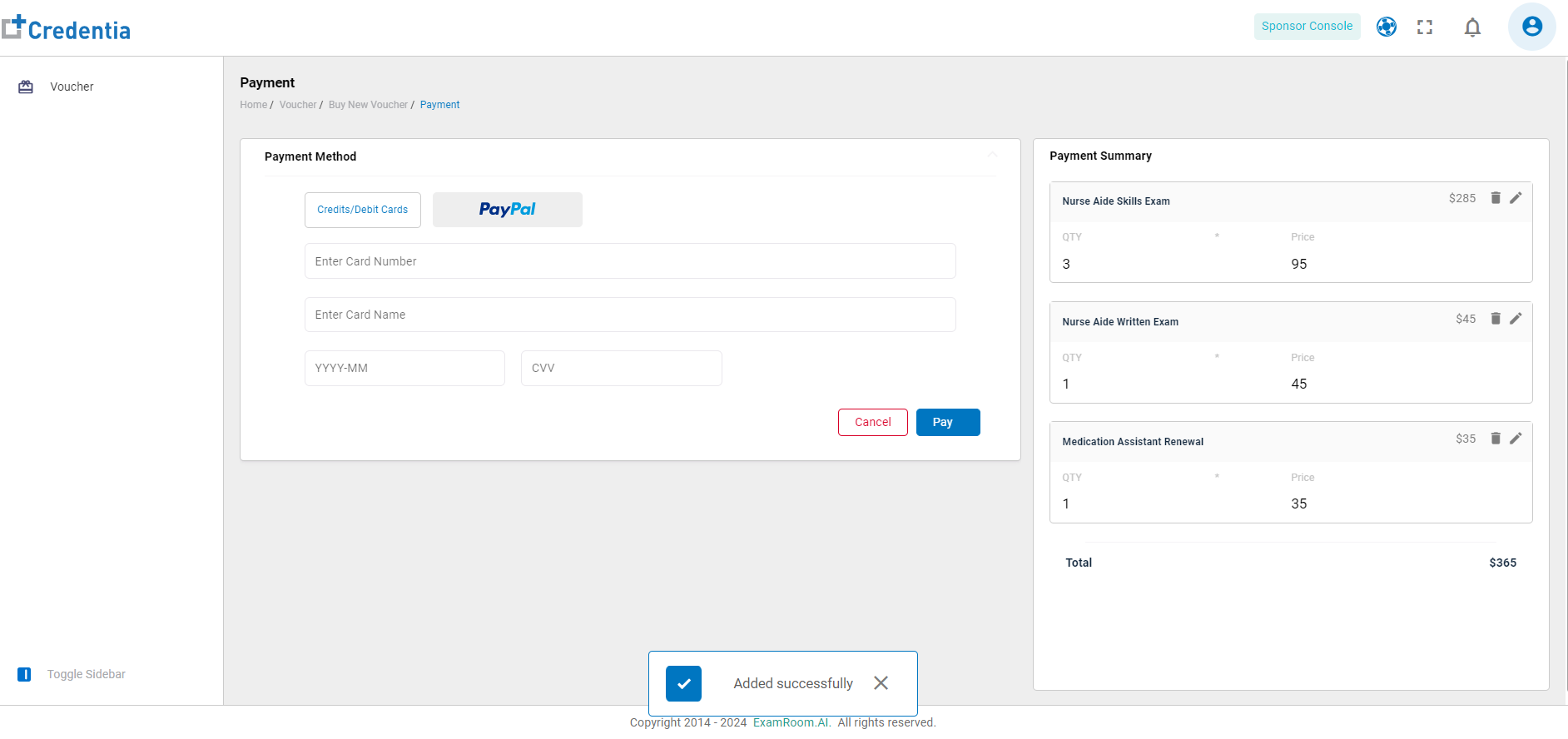
- A pop-up at the bottom of the screen confirms the successful addition of the voucher(s) to the cart.
- Click on the preferred payment method and fill out the details.
- Check the Payment Summary on the right side of the screen displaying the voucher name, count, and cost. Click on the edit or delete icon if any modification is required.
- Check the total amount payable and click on Pay to make payment. Click on Cancel to go back to the voucher details page.
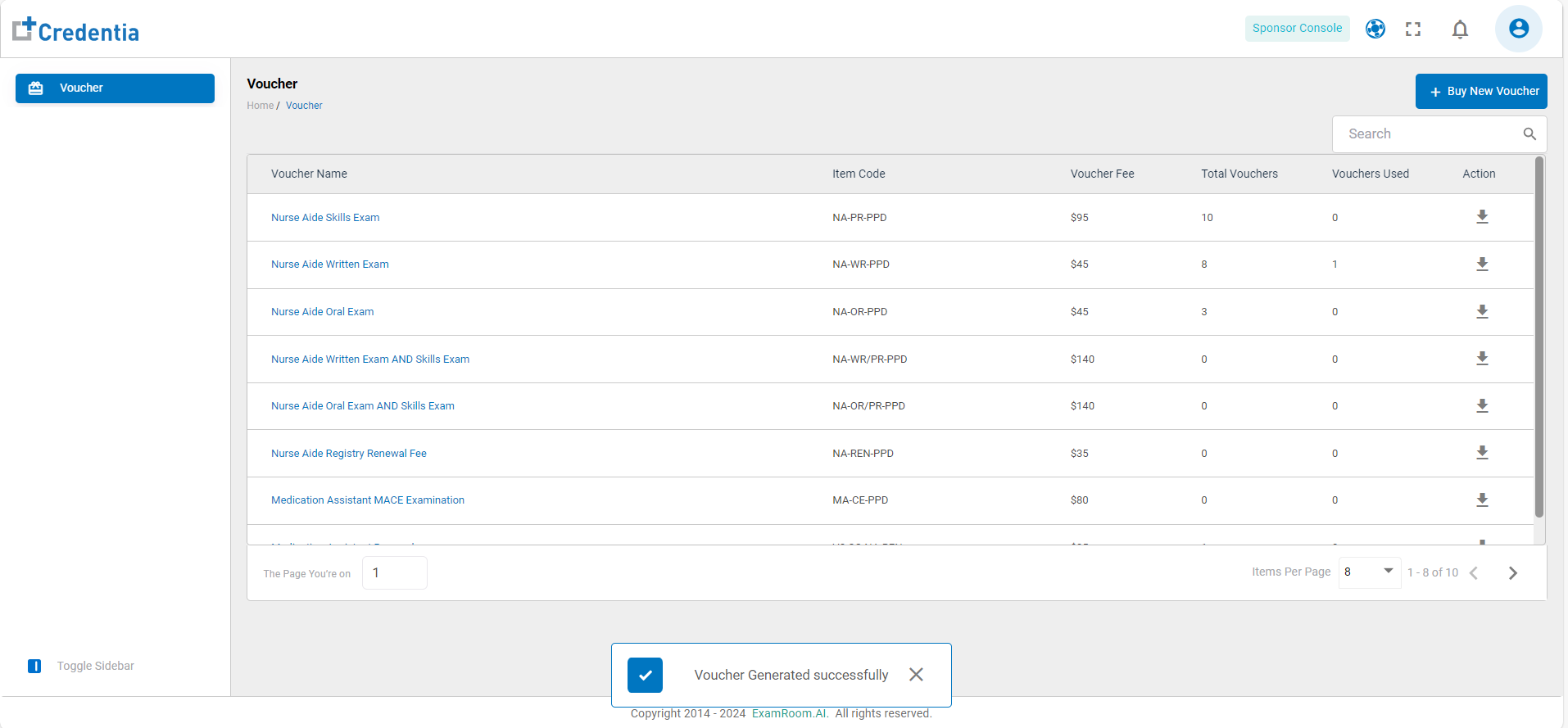
- A pop-up at the bottom of the screen confirms the successful generation of the voucher(s).
- The purchased vouchers are included in the list of vouchers after successful payment.
Note:
- You can also purchase the vouchers directly through the Voucher Purchase Payment Link: Get Your Voucher Now | CNA Exam | Credentia - Credentia Store, a quick payment solution for buying vouchers just by using their email ID and password.
- You will receive an email alert about the vouchers with an expiration date due in the next 30 days.