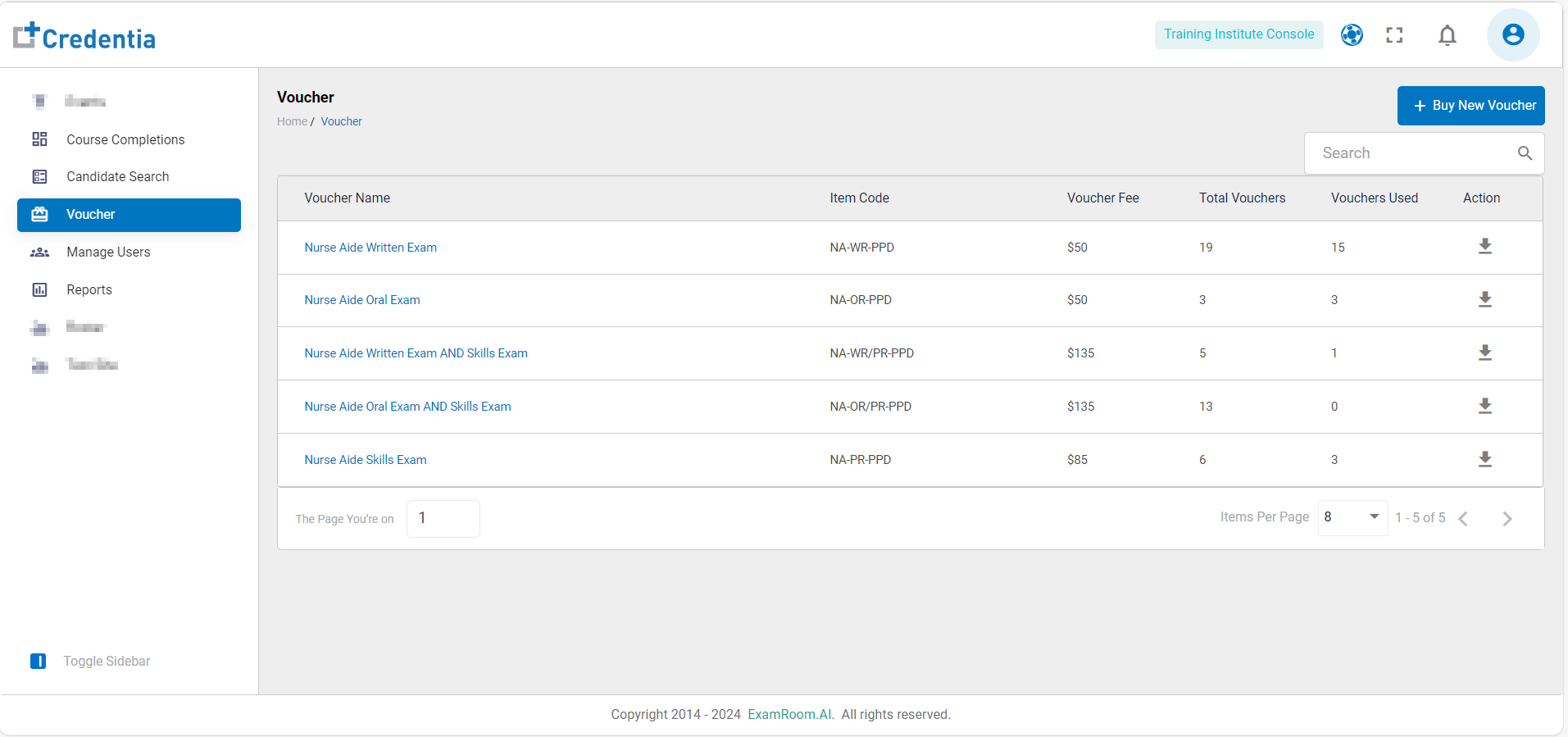
Explore Voucher
- On the left navigation menu select Voucher.
- The Voucher details page shows the following information:
- Voucher Name: Name of the voucher according to examination.
- Item Code: The code number of the voucher type.
- Voucher Fee: Cost of the voucher.
- Total Vouchers: Total number of available vouchers.
- Vouchers Used: Count of used vouchers.
- Action: Available action on the voucher.
- Download: Click to download the spreadsheet giving the information about the voucher status. i.e. Voucher Code, Expiration Date, and the voucher status of each voucher type available.
- Click on the Search Bar and enter respective voucher details to search.