
Logging In – Subsequent Logins

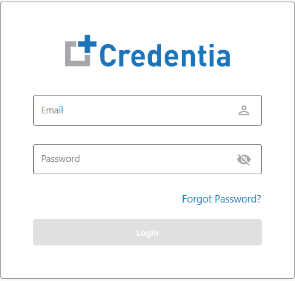
Follow the steps to log in with the Credentia Platform’s Training Institute console:

  1. Navigate to the Credentia platform login page, https://cna365.examroom.ai/.
  2. Enter your registered email address associated with your Credentia’s Operation Staff account in the Email field. 
  3. Enter your password in the Password field. 
  4. Click the Login button to log in to your account.  
Forgot Password

If you have already registered but have forgotten your password, you can reset it on the login page by clicking Forgot Password.

To reset your password, follow the steps below:

  1. Click Forgot Password provided on the login page.
  2. In the Email field, enter your registered email address and click Submit. Click Back to Sign In to go back to the login page. 

     
  3. Enter Access Code, a six-digit numeric that is sent to your registered email address. Enter the New Password and Confirm Password.
  4. Click the view icon to view your new password. Click Reset Password. Click Back to exit the reset password page.
  5. Your password reset is successful and click Login to log in to the application. 

Was this article helpful?