Course Completions
- Move to the left navigation menu and select Course Completions.
- Course Completion Verification can be done in two ways. i.e. through Course Dates and Candidate Search.
Note: The Training Institute User shall receive an alert mail triggered when a candidate registers and is awaiting approval for the records.
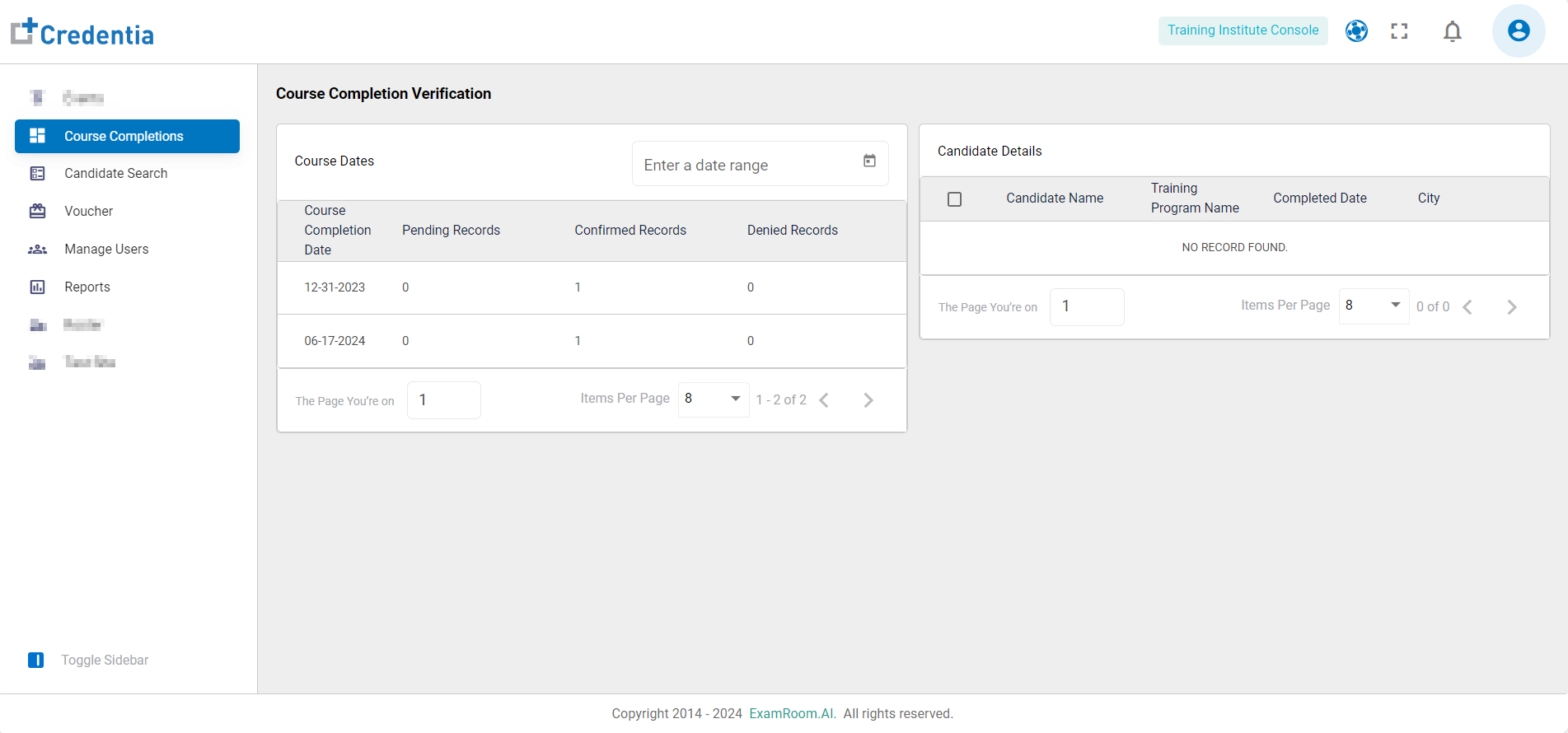
- The Course Completion Verification by Course Date shows the following details:
- Course Completion Date: Date of completion of the course
- Pending Records: Count of records pending for approval
- Confirmed Records: Count of approved records
- Denied Records: Count of rejected records
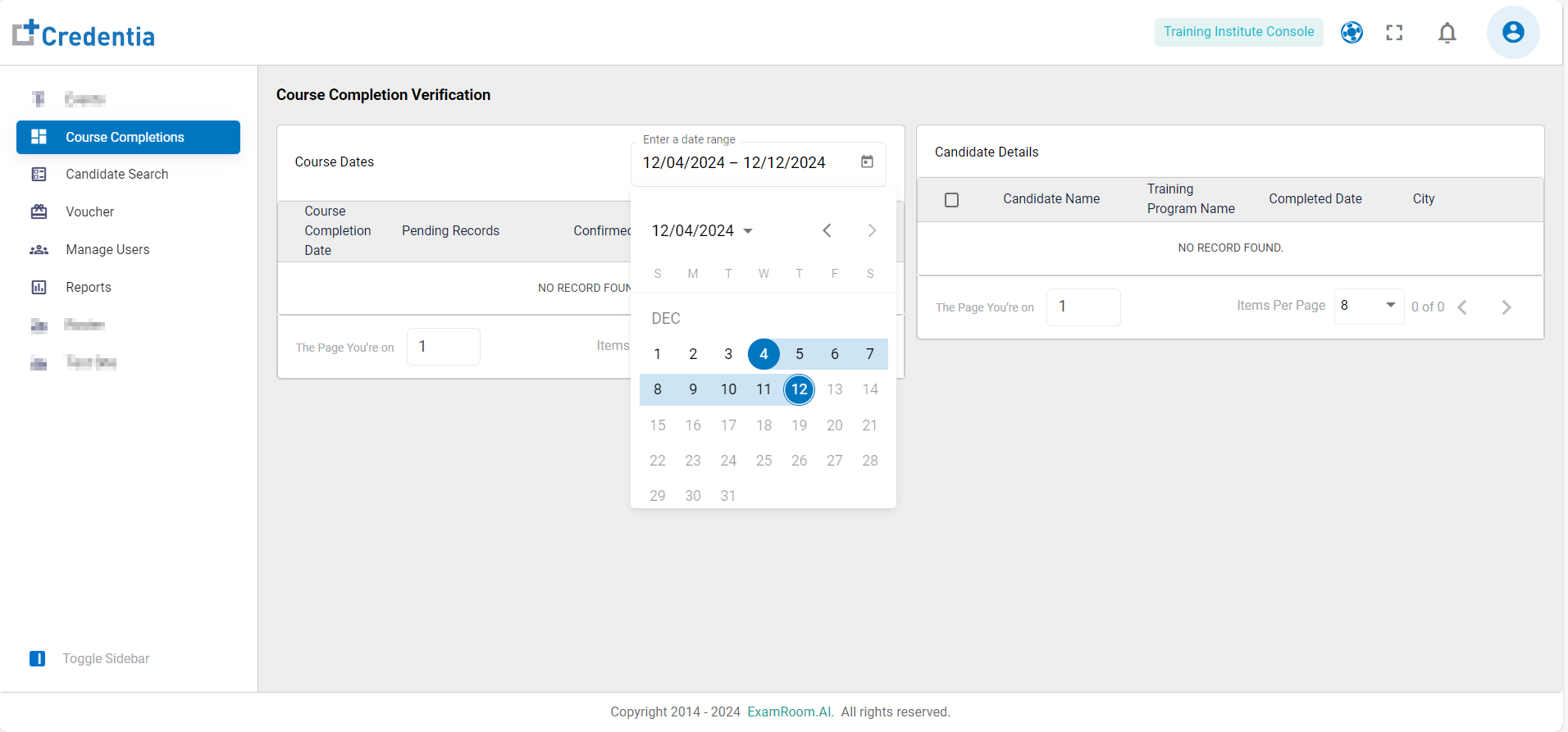
- Click on the Calendar icon to enter a date range of course completion.
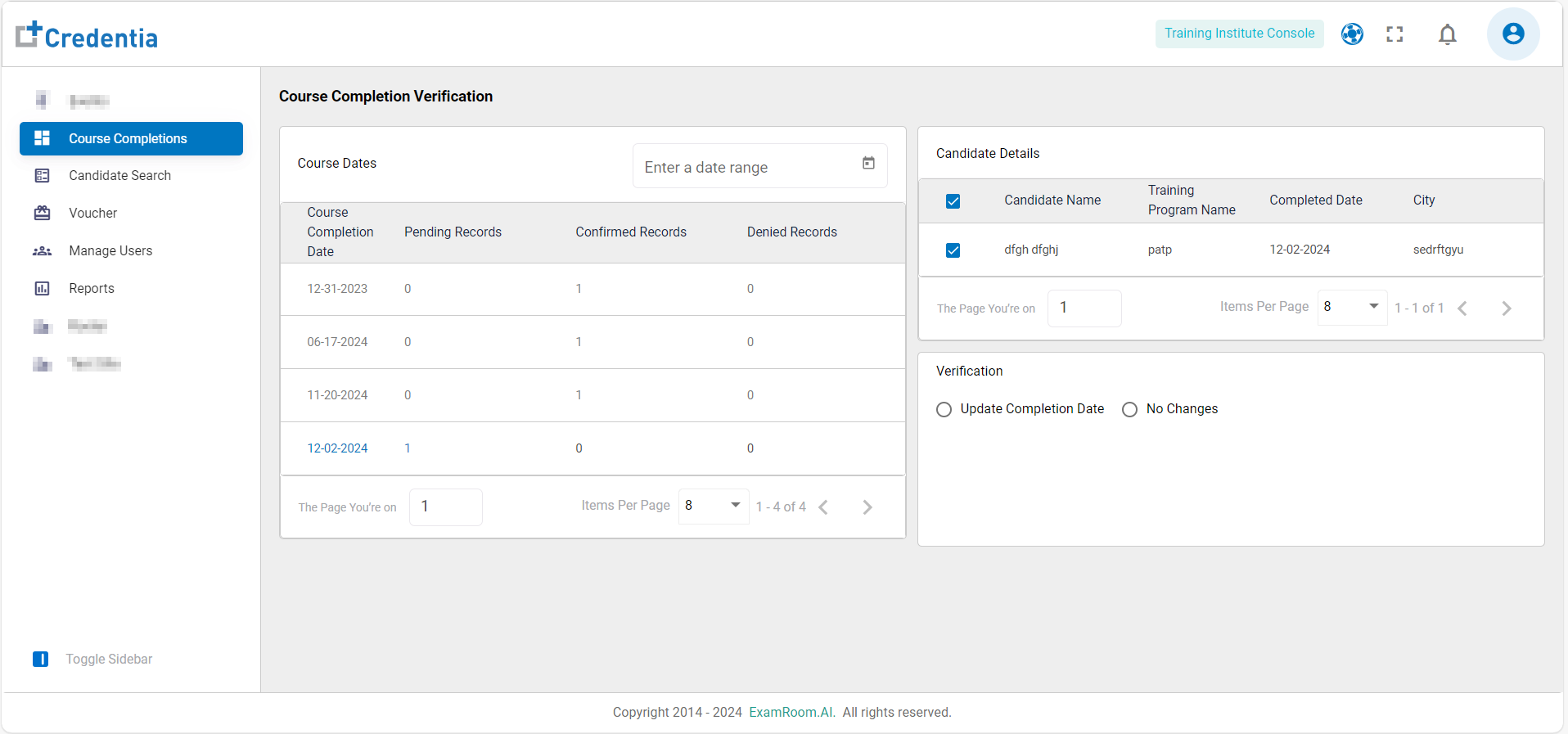
- Click on the pending record and check the candidate details on the right side of the screen, which displays the candidate’s name, training program name, completed date, and city.
- Select the checkbox against the candidate details page. The two verification choices are at the end of the search results.
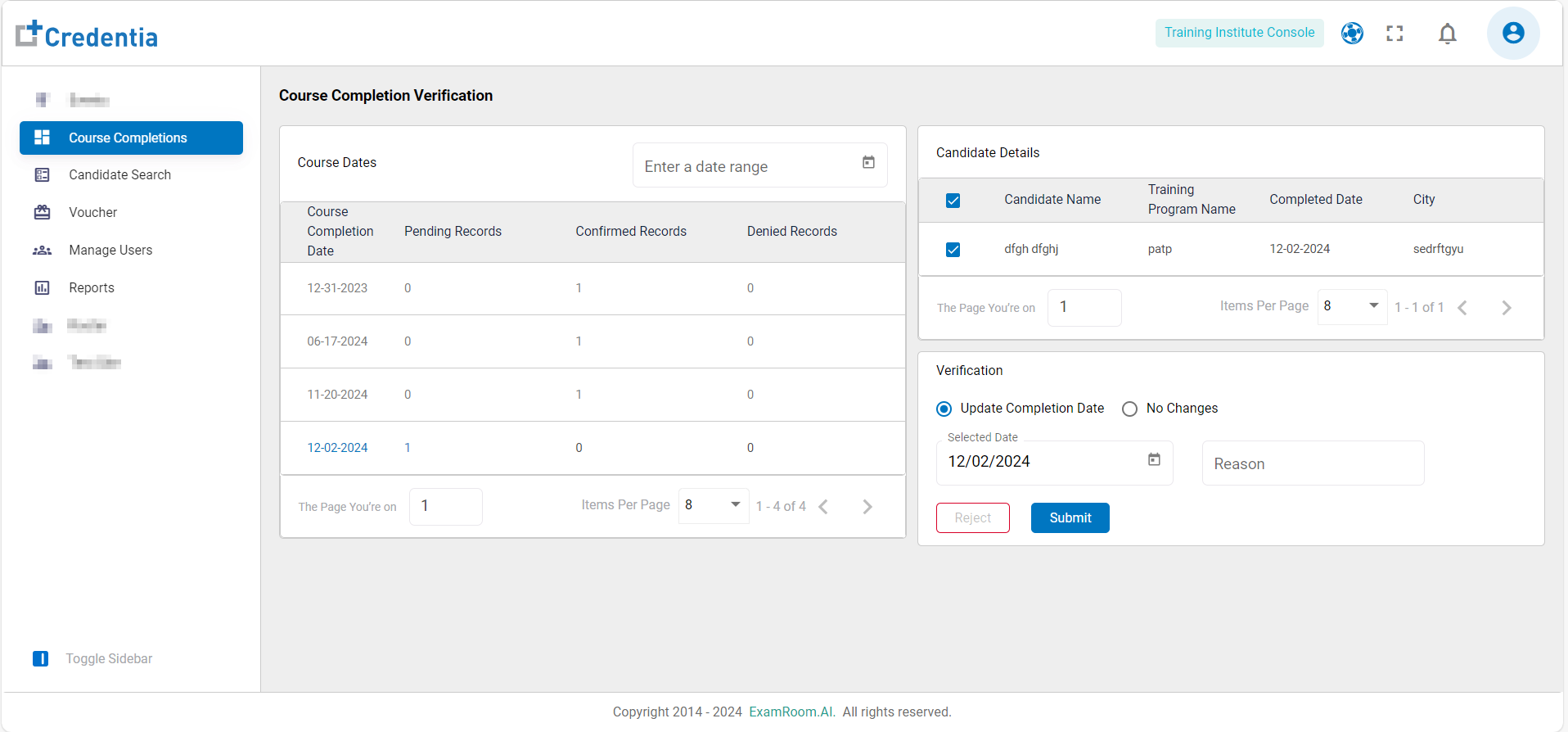
- Select Update Completion Date if the date mentioned in the record is incorrect.
- Select the Date and mention the Reason for Rejecting or Submitting the record.
- Select No Changes if no changes are required on the course completion date. Mention the Reason for Rejecting or Submitting the record.
- The submitted records shall be included in the list as Confirmed Records and the rejected records as Denied Records.
- Click on Items Per Page and customize the count of items on each page as per preference.
- The page navigation is available on the right side of the bottom bar, and the current page number is displayed on the left side.