Transferring Voucher
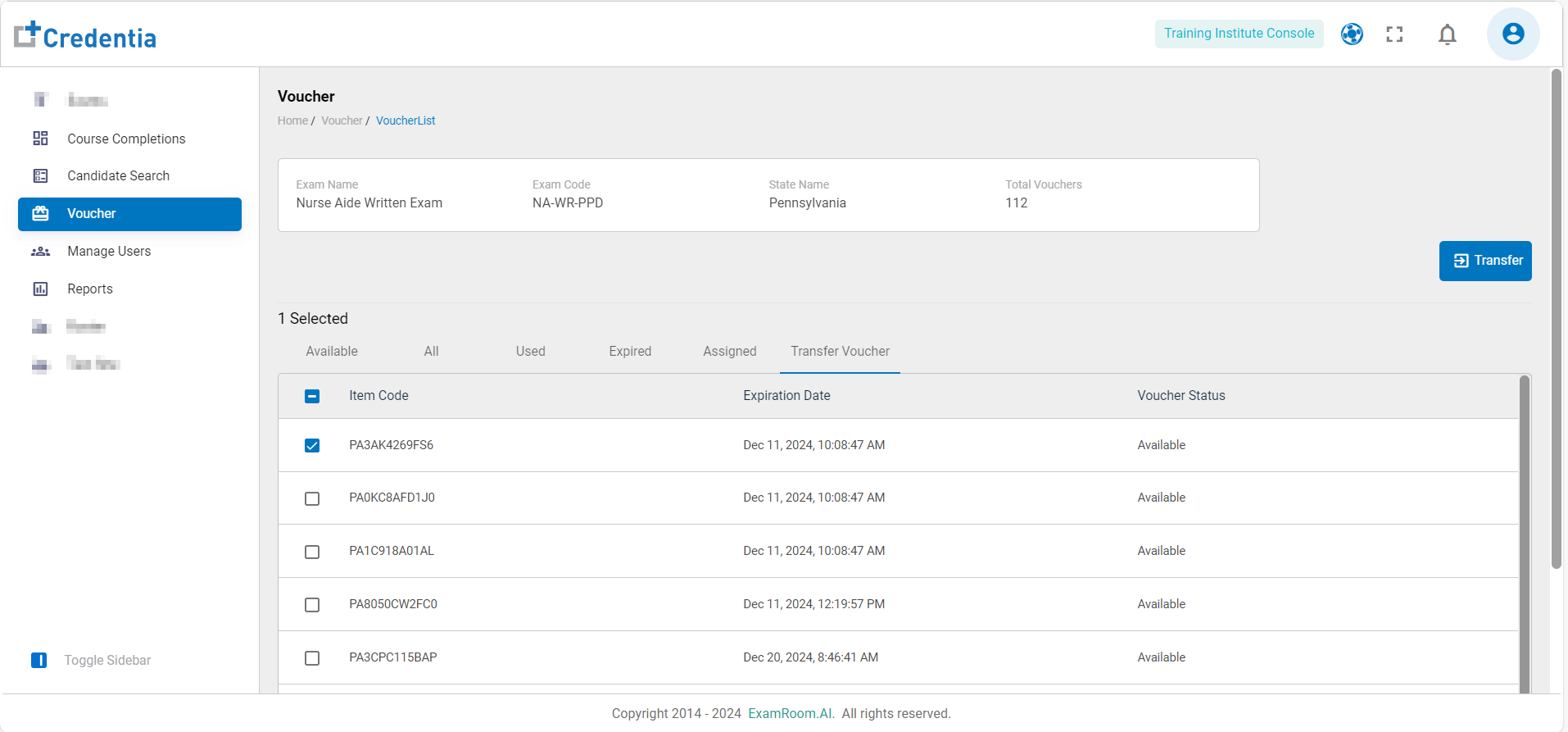
- The vouchers can be transferred to training institute users from the Transfer Vouchers option.
- Select the preferred vouchers to transfer and then click on the Transfer icon available on the right side.
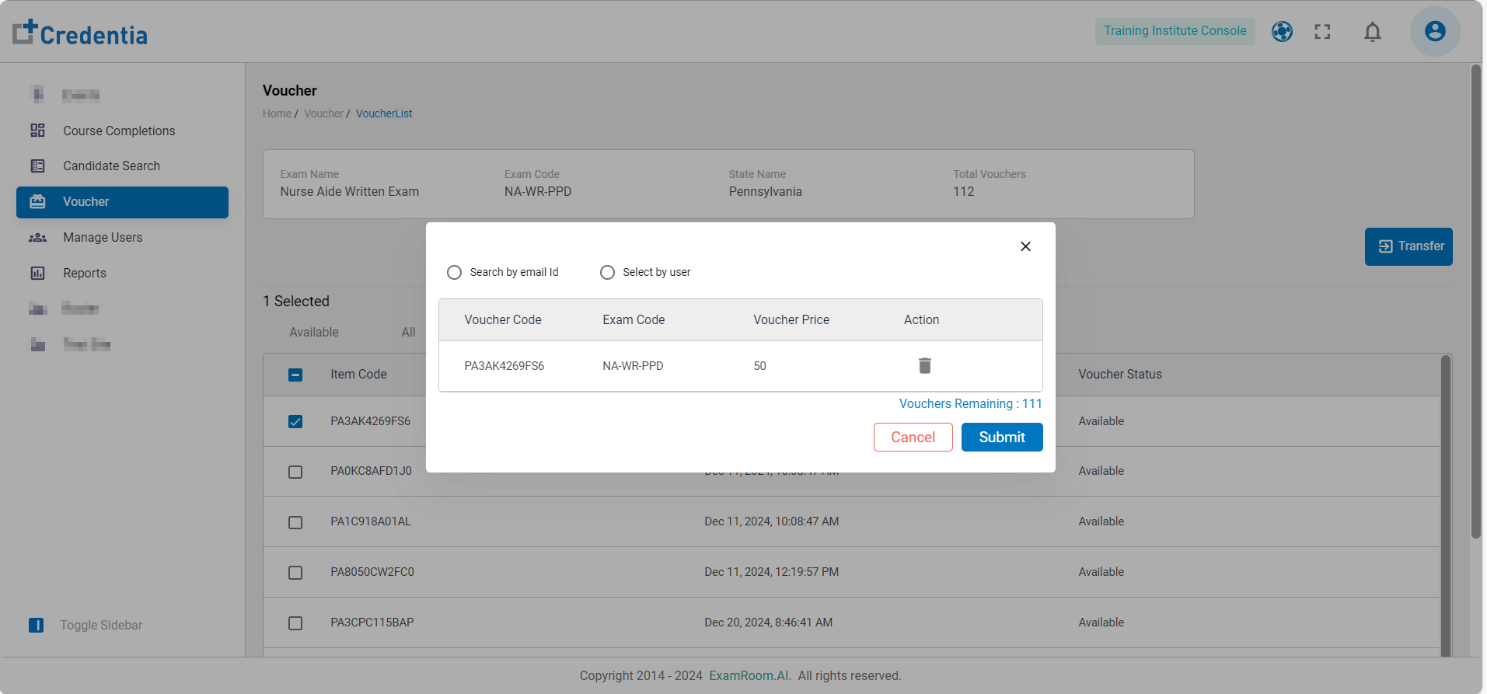
- A pop-up will be displayed, showing the voucher details which have been selected for transfer.
- Click on Search by email ID to search the training institute user by mail ID and type in the search bar.
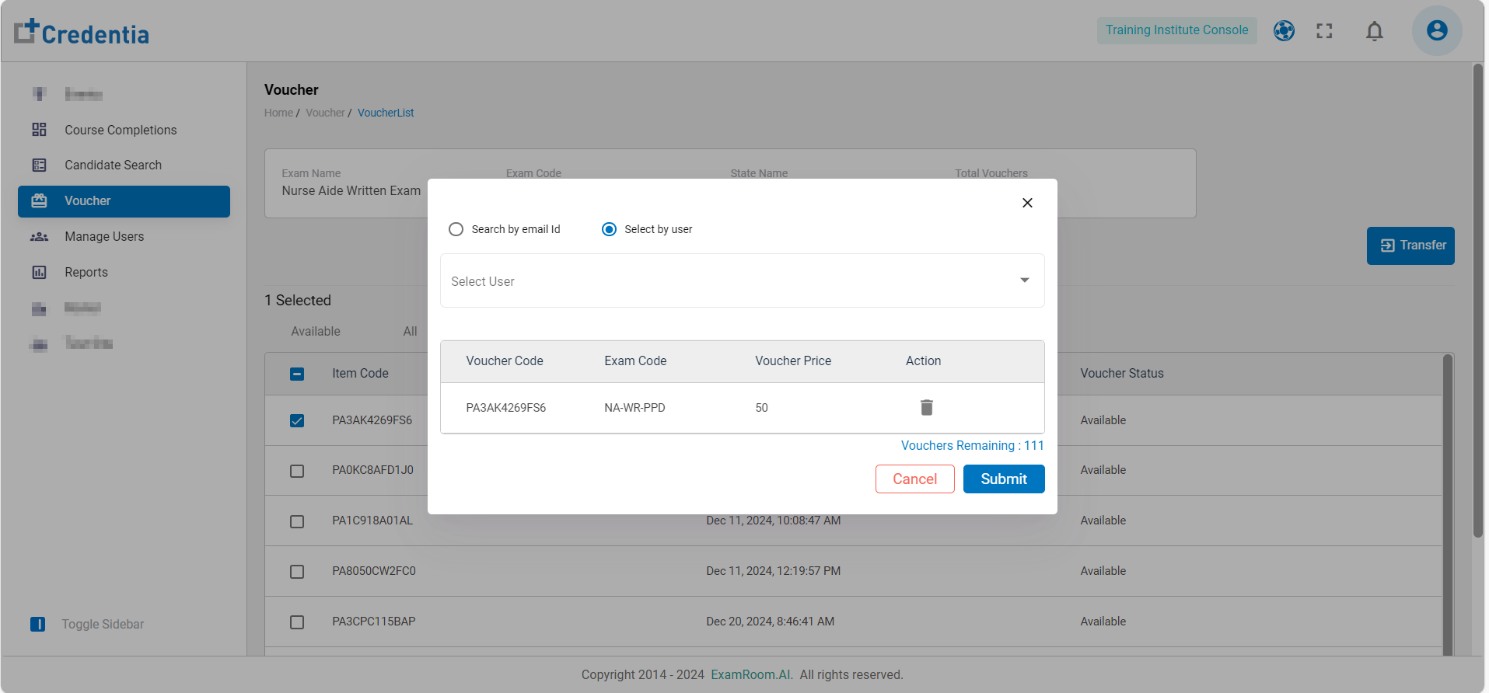
- Click on Select by User to search the training institute user by username and type in the search bar.
- Once selected, click on Submit to transfer the voucher. Click on Cancel to go back to the transfer voucher screen. Click the Delete icon under the action button to delete the selected voucher for transfer.