Explore Voucher
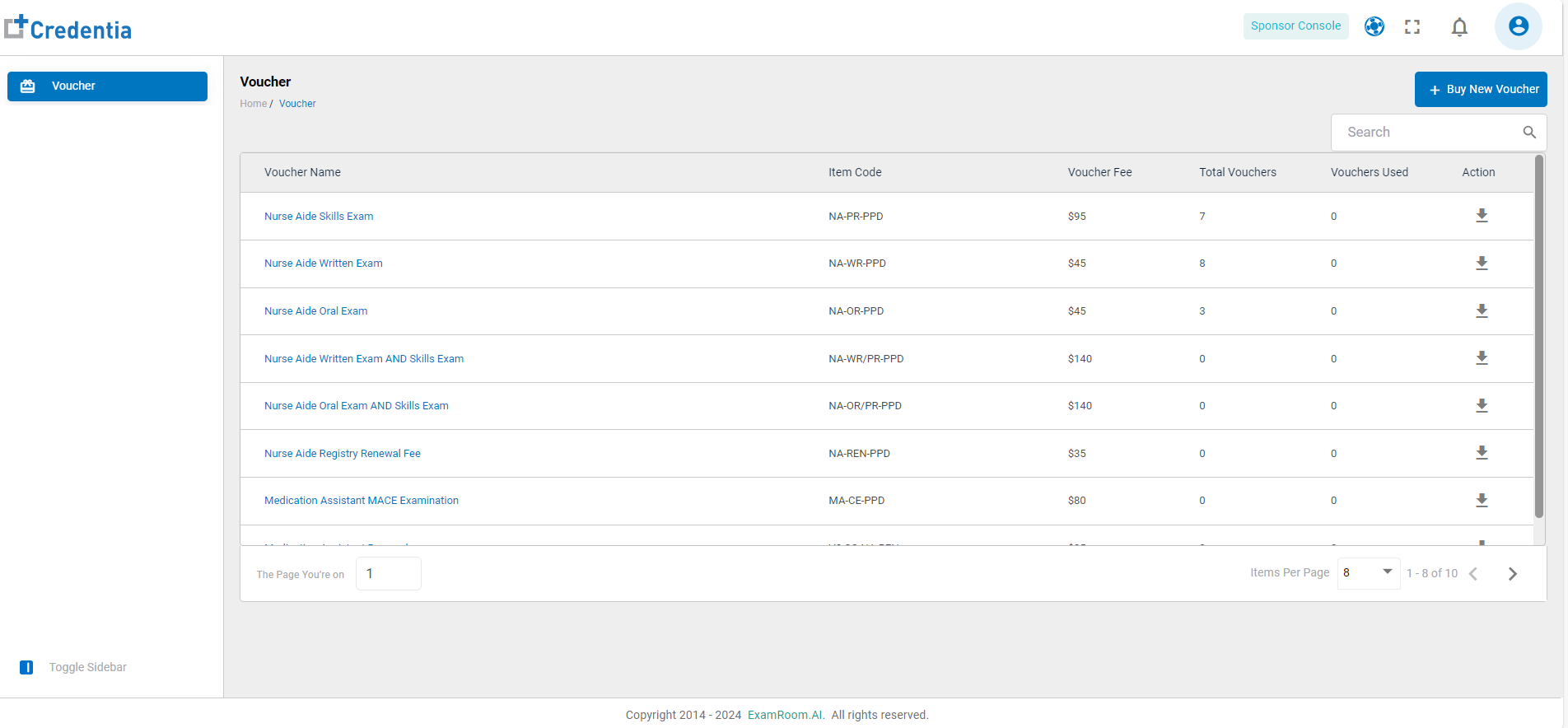
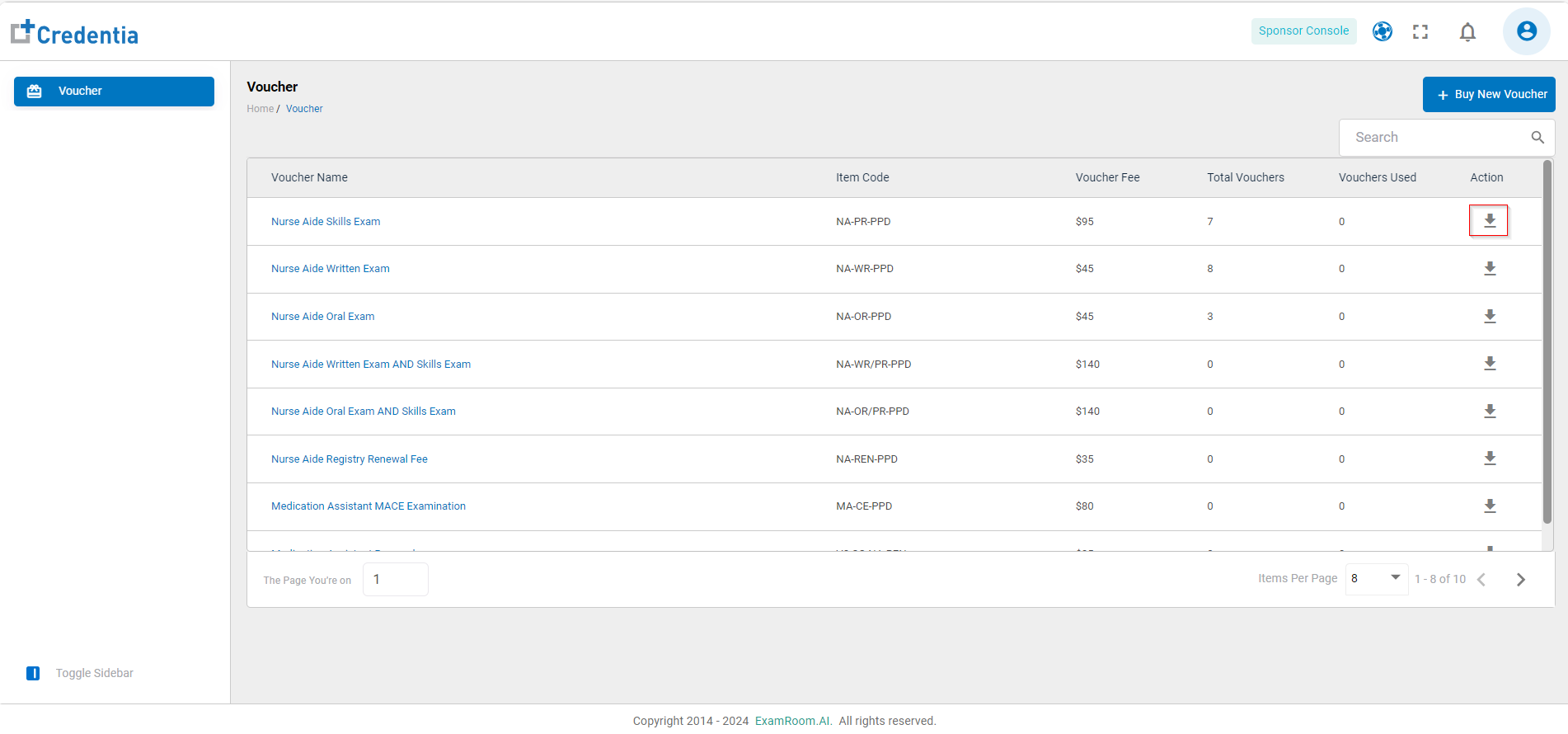
- On the homepage, the list of vouchers is displayed.
- The Voucher details have the following headers:
- Voucher Name: Name of the voucher according to examination.
- Item Code: The code number of the voucher type.
- Voucher Fee: Cost of the voucher.
- Total Vouchers: Total number of available vouchers.
- Vouchers Used: Count of used vouchers.
- Action: Available action on the voucher.
- Download: Click to download the spreadsheet with information about the voucher status, i.e., the Voucher Code, the Expiration Date, and the voucher status of each available voucher type.
- Download: Click to download the spreadsheet with information about the voucher status, i.e., the Voucher Code, the Expiration Date, and the voucher status of each available voucher type.
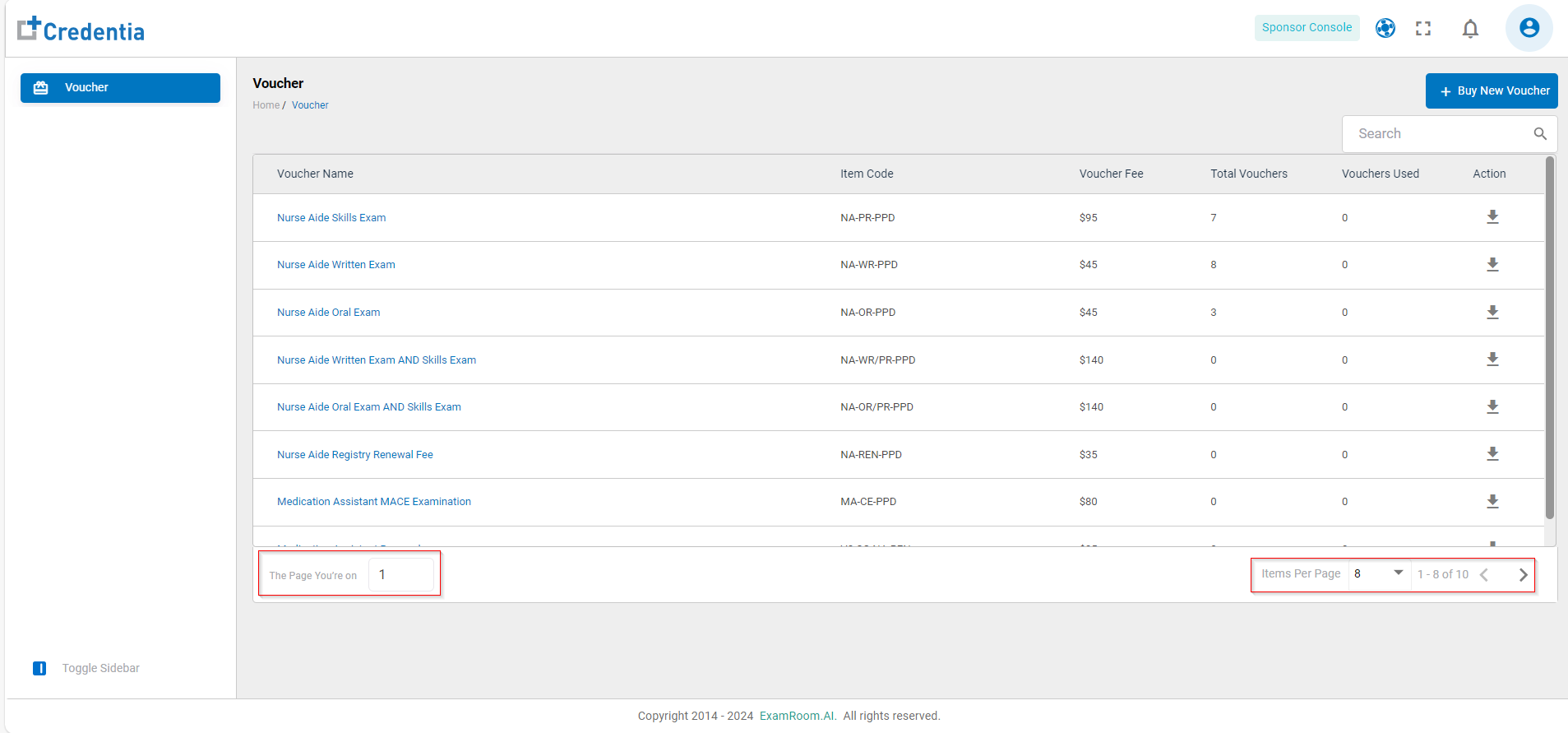
- Click on the Search Bar and enter the voucher details to search.
- Click on Items Per Page to customize the count of items on each page as per preference.
- The page navigation is available on the right side of the bottom bar, and the current page number is displayed on the left side of the bottom bar.
- Click on the voucher name to see the voucher list for the respective exam.
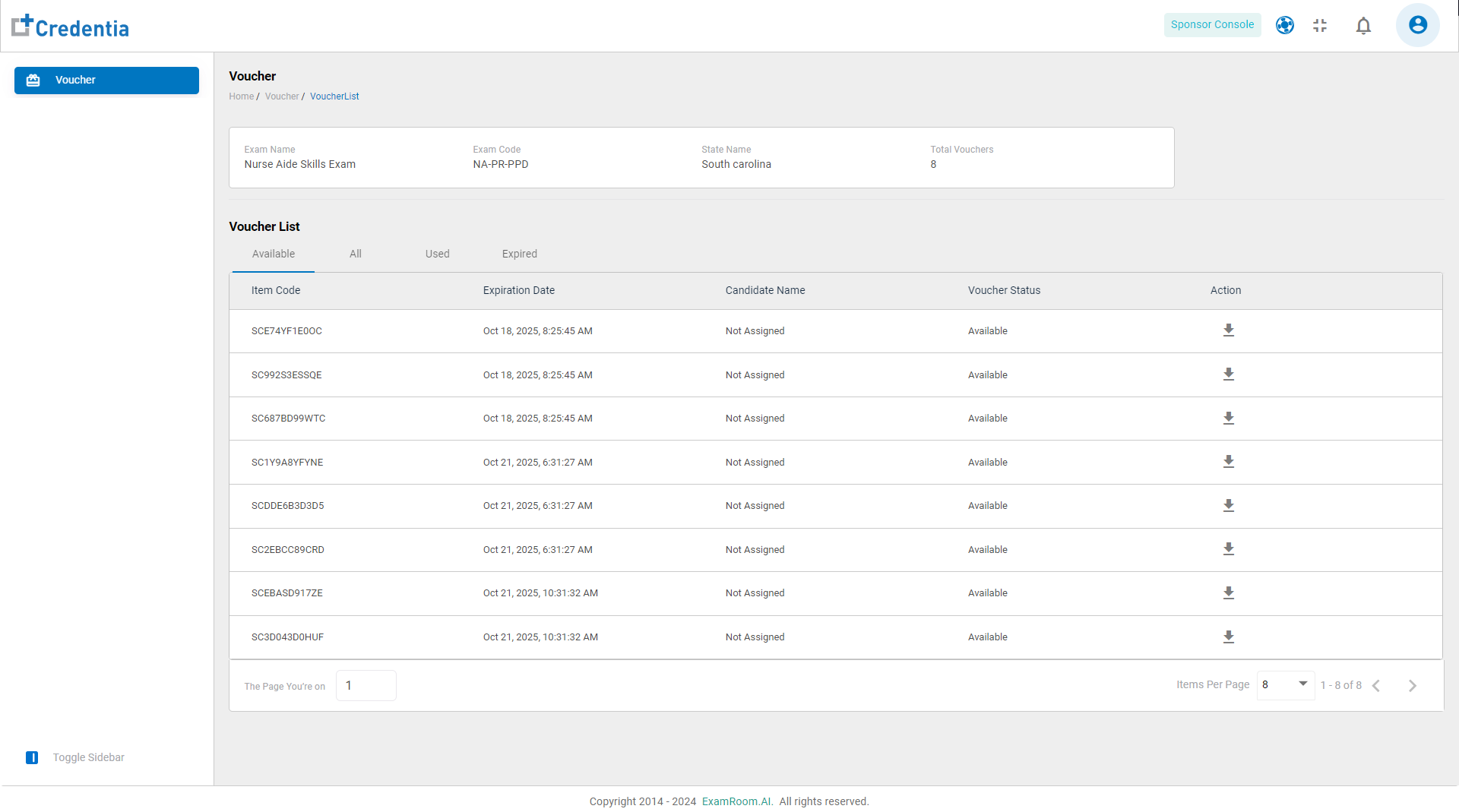
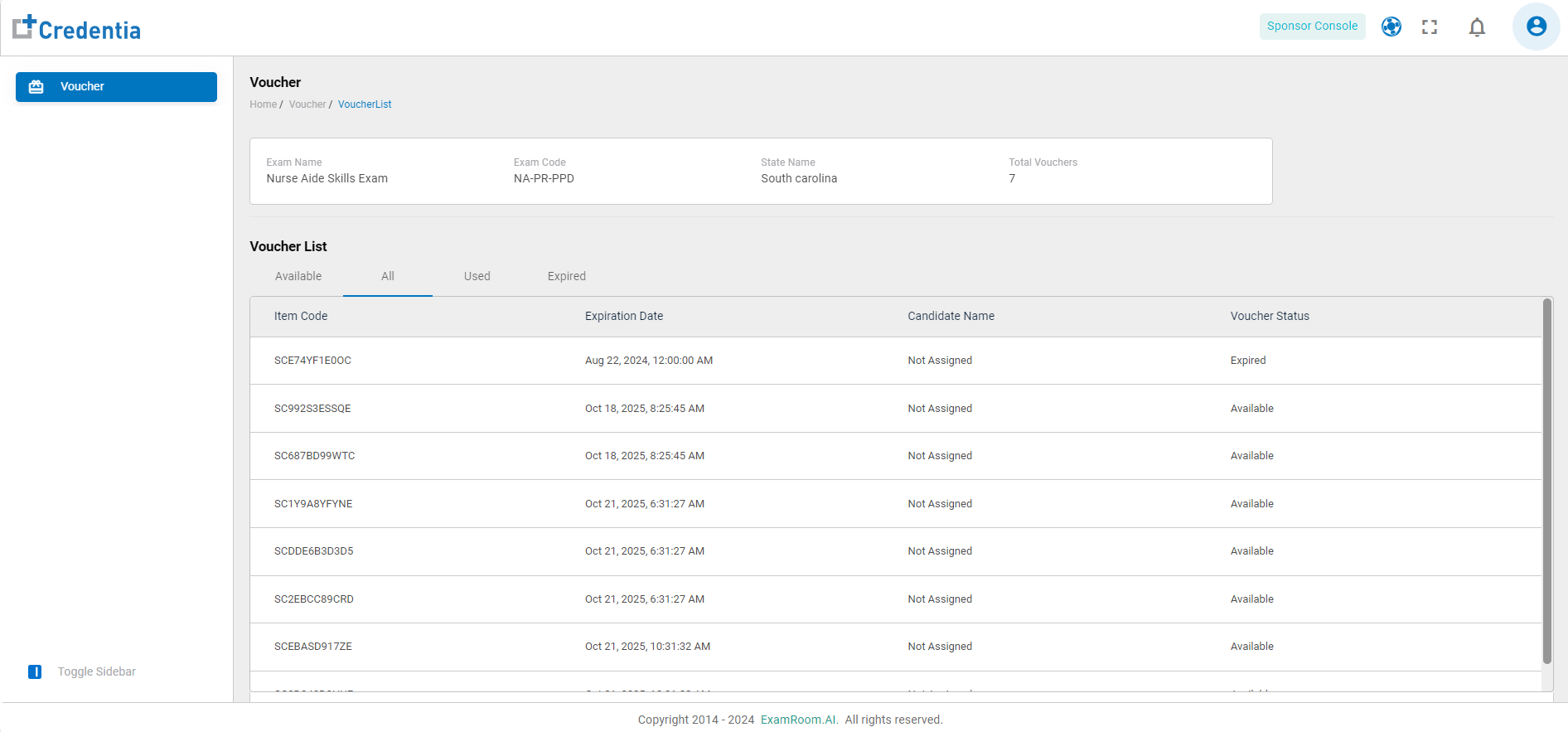
- The top panel provides information about the voucher, including the exam name, exam code, state name, and total vouchers.
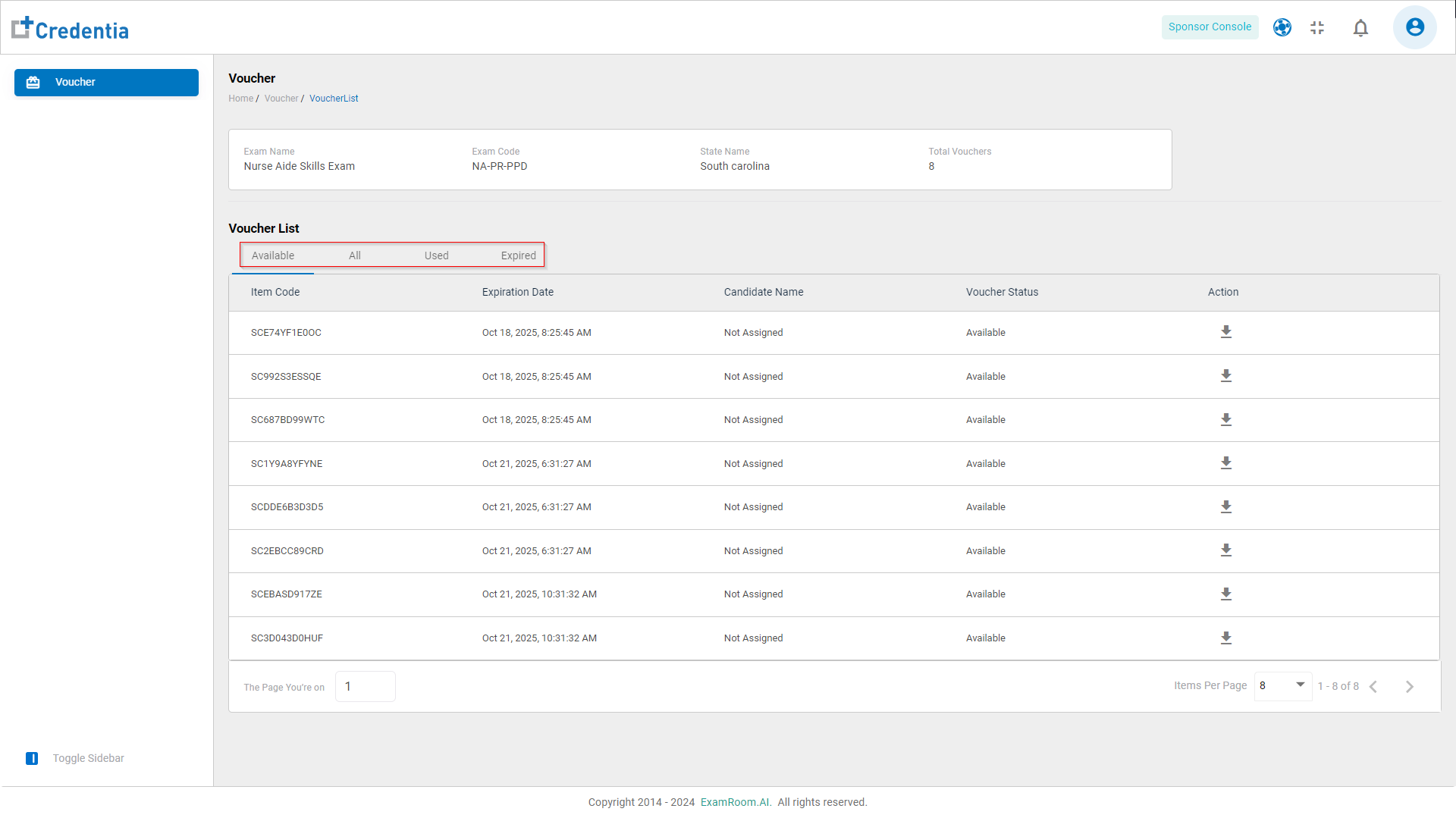
- The Voucher List displayed has options to view the following vouchers:
- Available Vouchers: This gives information about the available vouchers. The details of the available vouchers are as follows:
- Item Code: The code number of the voucher
- Expiration Date: The date and time when the voucher expires and can no longer be used. (The voucher validity is one year from the date of purchase)
- Candidate Name: This displays the candidate’s name, but it is not assigned in the available voucher category.
- Voucher Status: The current status of the voucher.
- Action: The action available on the available vouchers.
- Download: Click to download the spreadsheet giving the information about the voucher code and expiration date.
- All Vouchers: This gives information about all the vouchers. The details of all the vouchers are as follows:
- Item Code: The code number of the voucher.
- Expiration Date: The date and time when the voucher expires. (The voucher validity is one year from the date of purchase)
- Candidate Name: This displays the candidate’s name but contains both assigned and unassigned voucher data and does not show up for the unassigned vouchers.
- Voucher Status: The current status of the voucher.
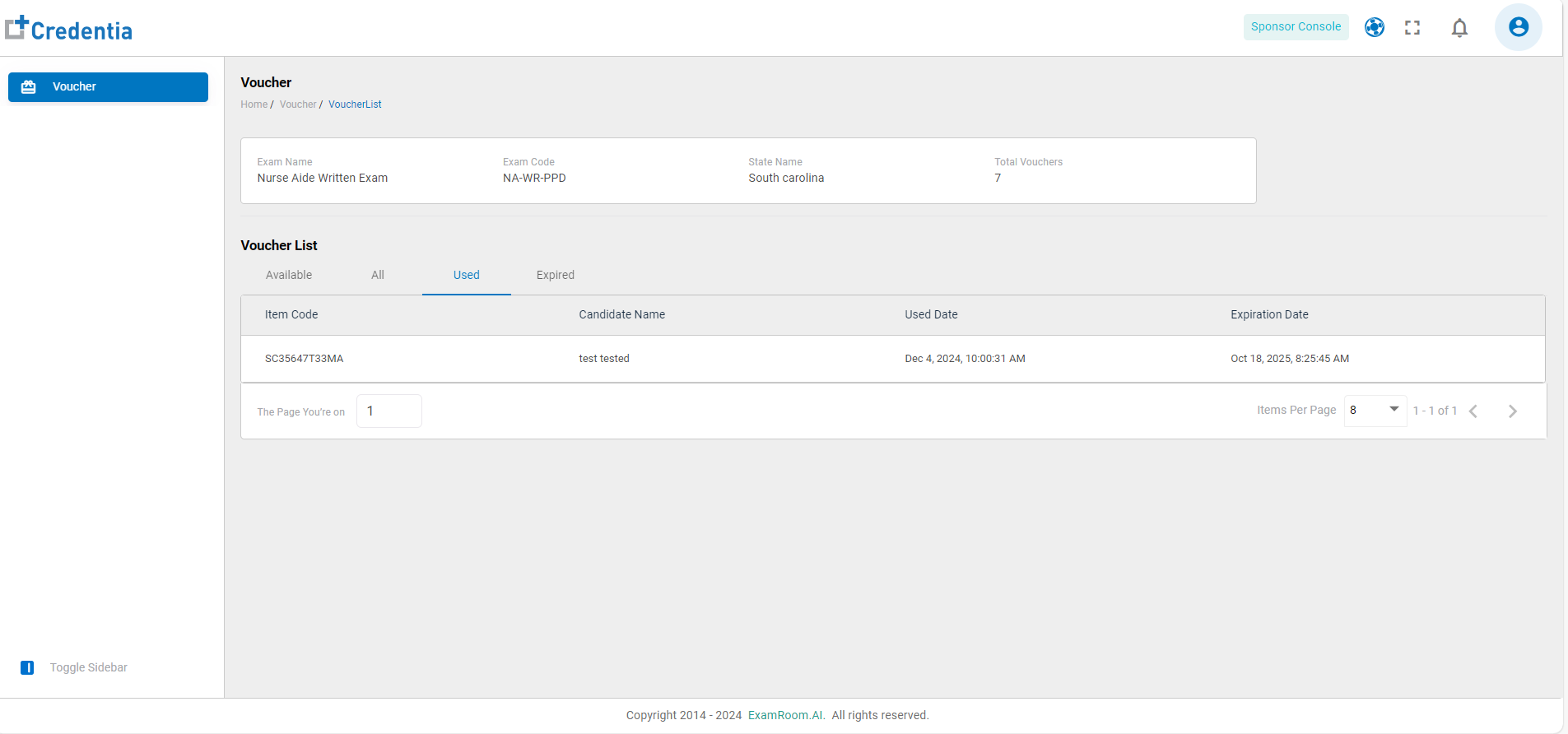
- Used Vouchers: This gives information about the used vouchers. The details of the used vouchers are as follows:
- Item Code: The code number of the voucher.
- Candidate Name: This displays the candidate’s name.
- Used Date: The date and time when the candidate utilized the respective voucher.
- Expiration Date: The date and time when the voucher expires. (The voucher validity is one year from the date of purchase)
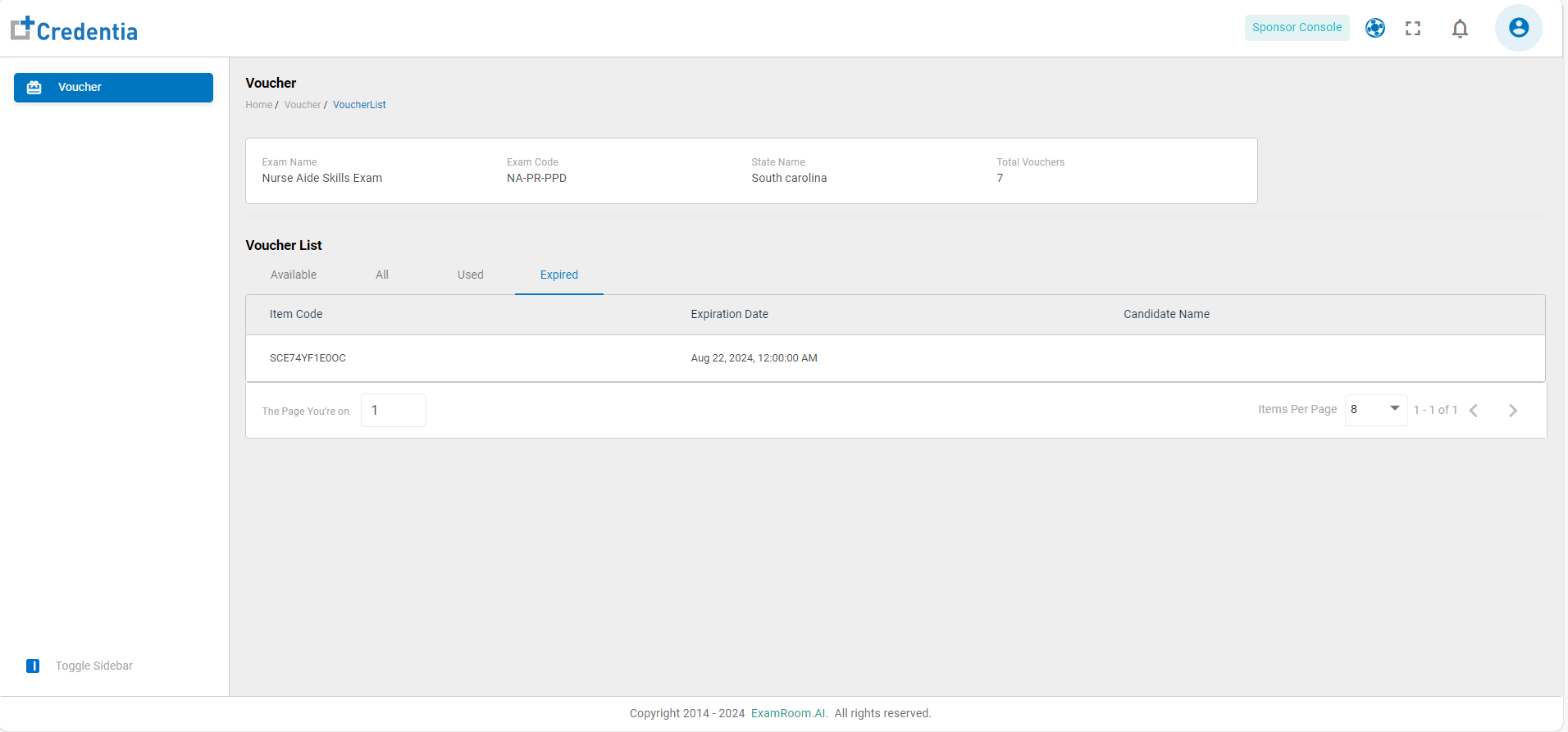
- Expired Vouchers: This gives information about the expired vouchers. The details of the expired vouchers are as follows:
- Item Code: The code number of the voucher.
- Expiration Date: The date on which the voucher expired . (The voucher validity is one year from the date of purchase)
- Candidate Name: This displays the candidate’s name.
- Available Vouchers: This gives information about the available vouchers. The details of the available vouchers are as follows: